

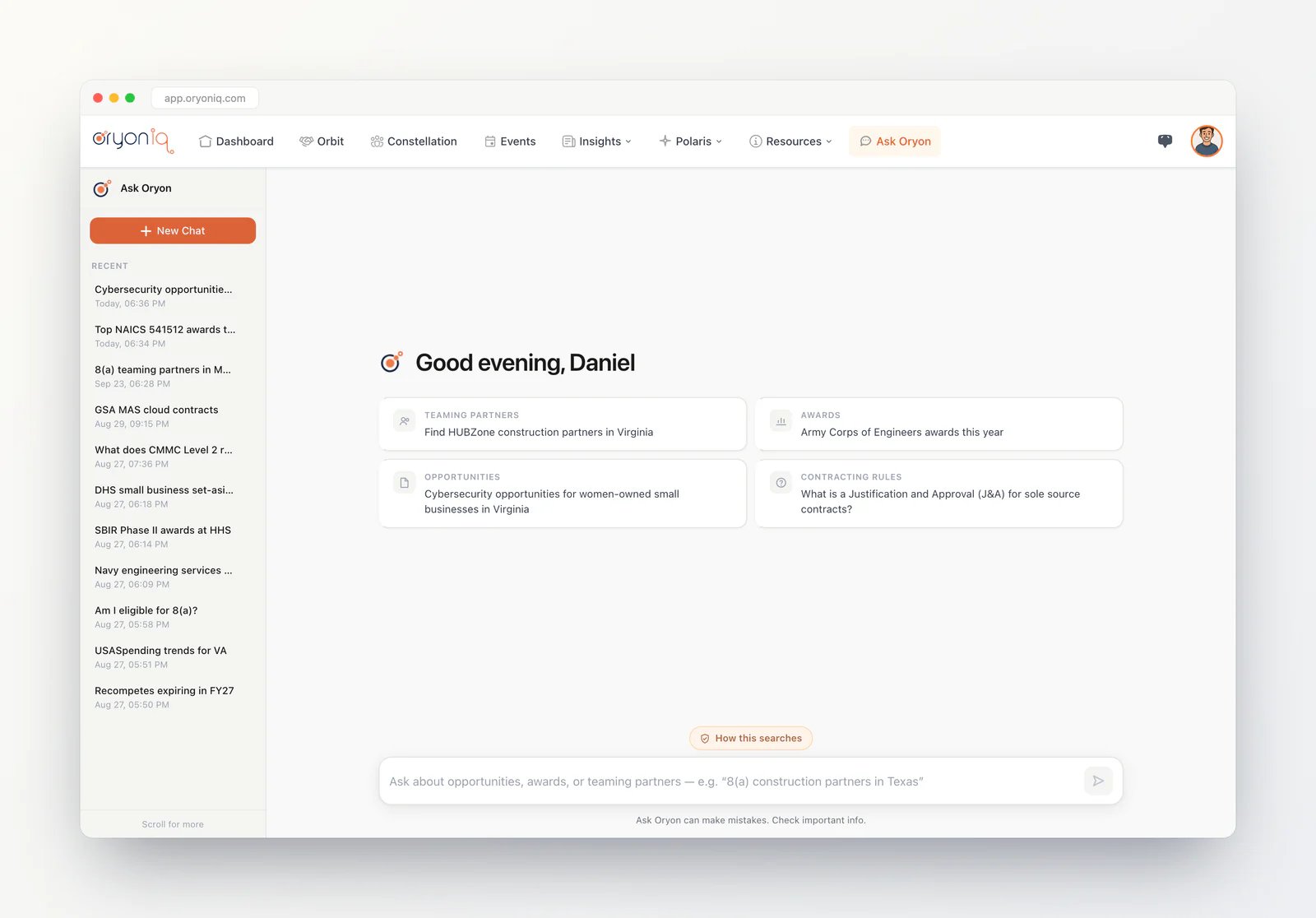
A fresh chat, with four starter questions and the prompt box
Ask Oryon is on every OryonIQ plan, with a monthly prompt allowance: Launchpad 3, Pioneer 20, Explorer 100 and Navigator unlimited. See Plans and tiers.
What kinds of questions does Ask Oryon answer?
A new chat opens with four starter cards, one for each main type of question. Use them as patterns for your own searches.
You can go narrower too. The Recent list in the screenshot above holds chats about NAICS 541512 awards, GSA MAS cloud contracts, SBIR Phase II awards at HHS, and recompetes expiring in FY27.
How do I ask a question?
1
Open a new chat
Select Ask Oryon in the top navigation, or Try now on the Ask Oryon tile of your Dashboard. Then select New Chat at the top of the left rail.
2
Type your question
Write it in the prompt box. Its placeholder begins “Ask about opportunities, awards, or teaming partners” and gives a sample question. Select the send arrow on the right of the box.
3
Read the answer
Ask Oryon replies in the chat. Text in orange is a link to the record behind it, such as the SAM.gov notice or a company’s DSBS profile.
4
Refine or switch topics
If the answer is off target, add the missing detail and ask again. For a new subject, start another chat so each thread stays easy to find later.
How do I write a question that narrows the search?
Ask Oryon has no filter panel. You narrow the search inside the question, so name the details that matter for your bid.
Put together, a scoped question looks like this:
What does an opportunity answer show?
Ask about open work, and each opportunity comes back as a short brief. The title links to the notice. Under it are the fields you need for a quick bid or no-bid call:- Agency, including the contracting command or office
- Set-Aside, such as “Unrestricted (open competition)”
- Deadline
- NAICS Code, with its description
- Place of Performance
- Scope, a summary of what the agency is buying
- Point of Contact
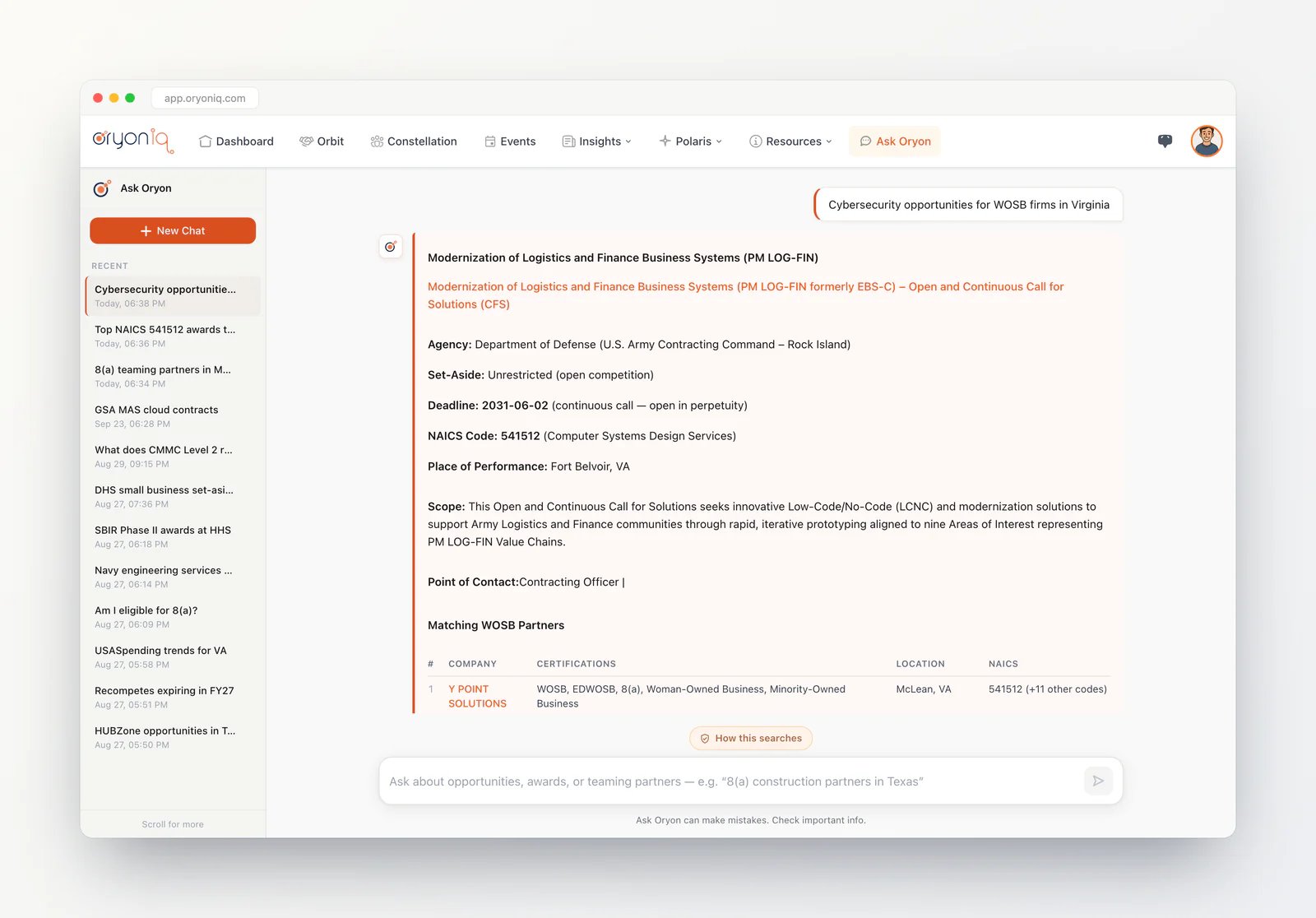
Opportunity answer for a WOSB cybersecurity search in Virginia
What does a teaming partner answer show?
Ask for partners by certification and place, and Ask Oryon returns a numbered list of companies. A DSBS badge next to each name marks a profile from the SBA’s Dynamic Small Business Search. Each entry lists:- Location, as city and state
- Certifications, with program dates where they apply, such as “8(a) Active (entered 2020-09-13, exits 2029-09-12)”
- NAICS codes, with descriptions
- Past Performance, with the number of past federal awards and details of a recent one
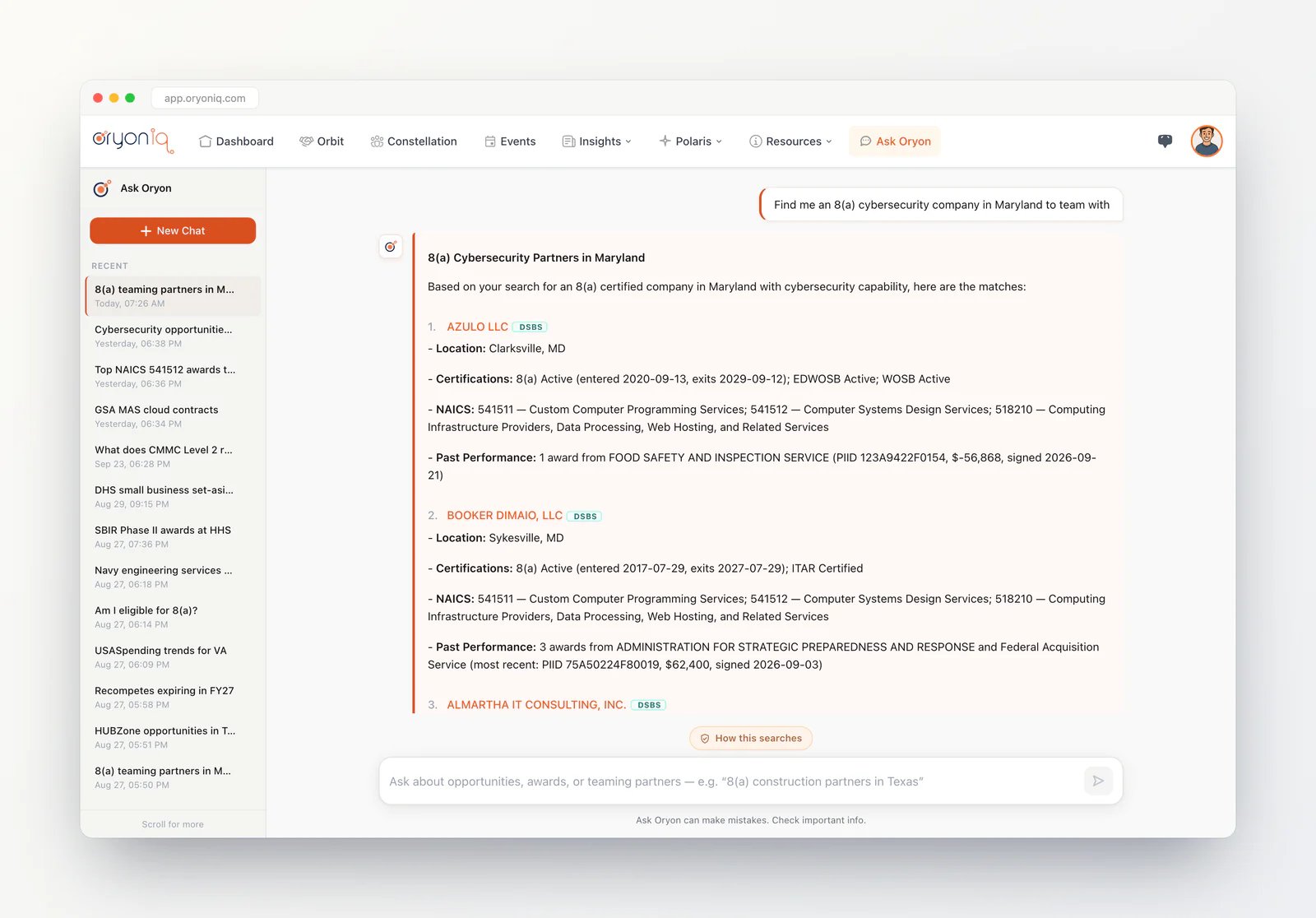
Teaming results for 8(a) cybersecurity firms in Maryland
Where do Ask Oryon answers come from?
Ask Oryon draws on federal contracting data that OryonIQ also shows in Polaris. Links in an answer open the matching record:
Above the prompt box is a link labeled How this searches.
How do monthly prompts work?
Each question you send counts against your monthly prompt allowance.
A counter tracks your use, for example “Monthly prompts: 0 / 20.” At the limit you’ll see “You’ve reached your monthly Ask Oryon prompt limit” along with the plan cards. Free users see buttons such as Subscribe to PIONEER there, and paid users see buttons such as Change to EXPLORER. To switch plans, see Upgrade your plan.