

The OryonIQ Supplier List is a curated directory of large prime contractors, found in the OryonIQ Resources menu. Each company has a profile with its NAICS and product service codes, contract history and top awarding agencies. Small businesses use it to research primes before pitching themselves as subcontractors or teaming partners.
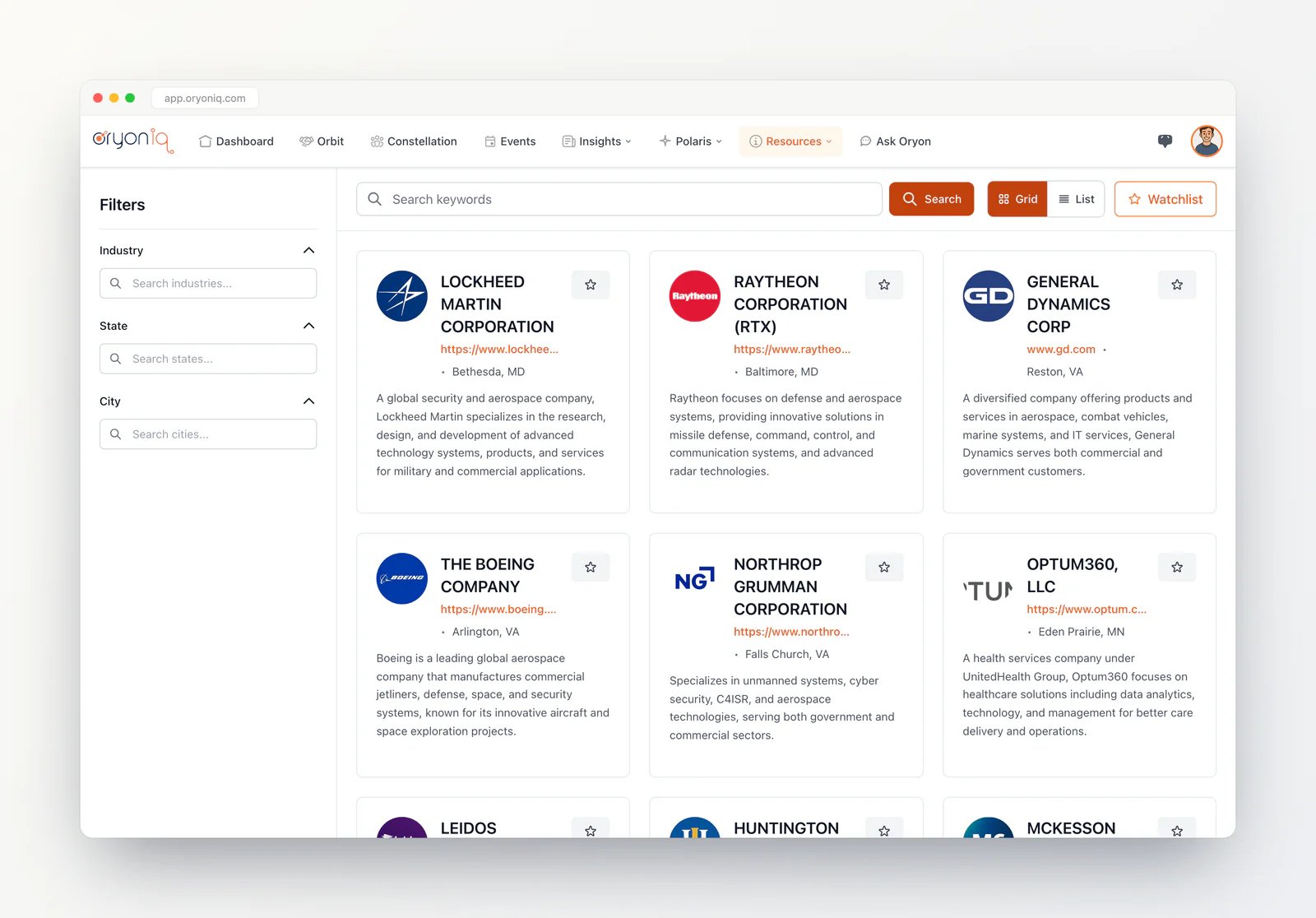
OryonIQ Supplier List grid of prime contractor cards with logos, websites, locations and short descriptions, beside Industry, State and City filters

Prime contractors with the Industry, State and City filters

Pioneer and every plan above it include the Supplier List, and Navigator has full access. See Plans and tiers.

How do I find a prime in the Supplier List?

1

Open the Supplier List

Select Resources in the top navigation, then Supplier List. The menu describes it as “Discover and manage trusted suppliers.” You can also use the Suppliers’ List link in the Resources card on your Dashboard.
2

Filter the list

The Filters rail has three filters: Industry, State and City. Each has its own search box, such as “Search states…” under State. Type a few letters and pick a value.
3

Search by keyword

Type a company name or term in Search keywords and select Search. Use Grid or List to change how results show.
4

Open a profile

Select a company card to open its profile page.
5

Save the company

Select the star on the card or on the profile. Saved companies appear on the Supplier list tab of My watchlists, and the Watchlist button opens them from this page.
Each card shows the company logo and name, its website, its city and state, and a short description of what it does.

What’s on a supplier profile?

A profile opens on the Overview tab, with a breadcrumb back to Supplier List at the top. The tabs across the header are Overview, Stock, Contract Info, Business Unit and News.
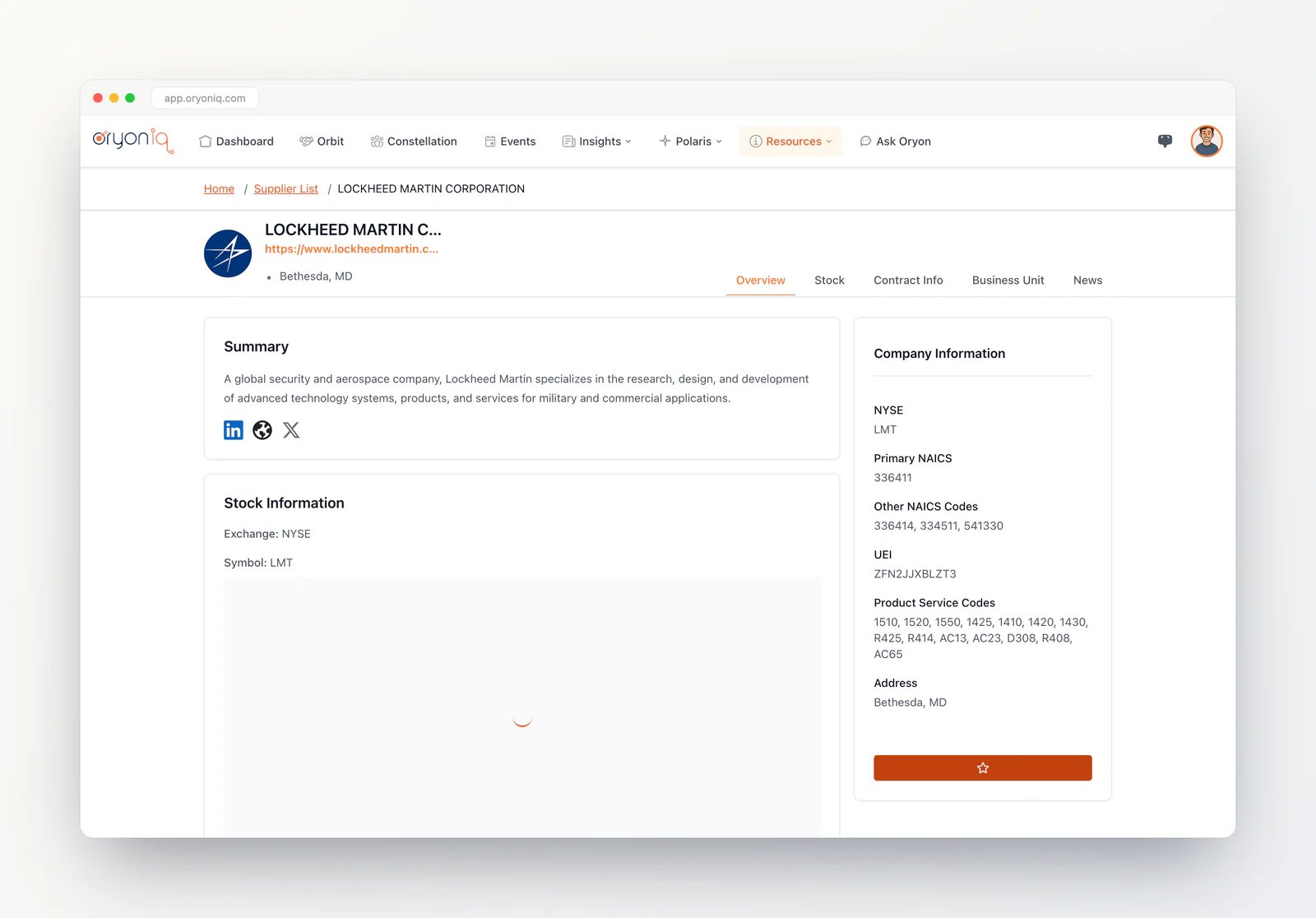
OryonIQ Supplier List company profile on the Overview tab, with a Summary, Stock Information, and a Company Information panel listing NAICS codes, UEI and PSCs

Company profile, Overview tab

How do I use the Supplier List to find subcontracting work?

Large primes on big federal contracts usually need small business subcontractors to meet their subcontracting plan goals. The Supplier List helps you work out which primes are worth your outreach.
1

Narrow to your sector

Filter by Industry, then by State or City if you want a prime with a nearby site.
2

Compare codes

On the profile, check Primary NAICS, Other NAICS Codes and Product Service Codes against your own. Overlap suggests the prime buys what you sell.
3

Match agencies

Look at Top Awarding Agencies. A prime that wins at the agencies you already serve is a stronger fit.
4

Check recent awards

Copy the UEI from Company Information. Paste it into the Vendor UEI filter in FPDS, or Recipient UEI in USA Spending, to see the company’s awards.
5

Keep a shortlist

Star the primes you plan to approach, so they stay on your Supplier list watchlist tab.
Lead with the codes. When you contact a prime, name the NAICS and PSC codes you share and an agency you both serve. Add your capability statement link from your profile.
The Supplier List covers large primes only. To find small business partners with SBA certifications, search DSBS or use Ask Oryon. Your Dashboard’s Explore Suppliers panel also suggests companies to look at.

Frequently asked questions

What is the OryonIQ Supplier List?

The OryonIQ Supplier List is a curated list of large prime contractors in the OryonIQ Resources menu. Each company profile shows NAICS codes, product service codes, UEI, contract history and top awarding agencies.

How do I find prime contractors to subcontract with in OryonIQ?

Open the OryonIQ Supplier List and filter by Industry, State or City. Then compare each prime’s NAICS and product service codes with yours, and check its awards in FPDS using the UEI from its profile.

Can I filter the OryonIQ Supplier List by location?

Yes. The OryonIQ Supplier List has State and City filters, plus an Industry filter. Each one has its own search box.

Does the OryonIQ Supplier List include small businesses?

No. The OryonIQ Supplier List focuses on large prime contractors. For small business profiles and SBA certifications, use the DSBS module in OryonIQ Polaris. To meet primes in person, find GovCon associations near you on the OryonIQ Map.
Last modified on October 10, 2026