

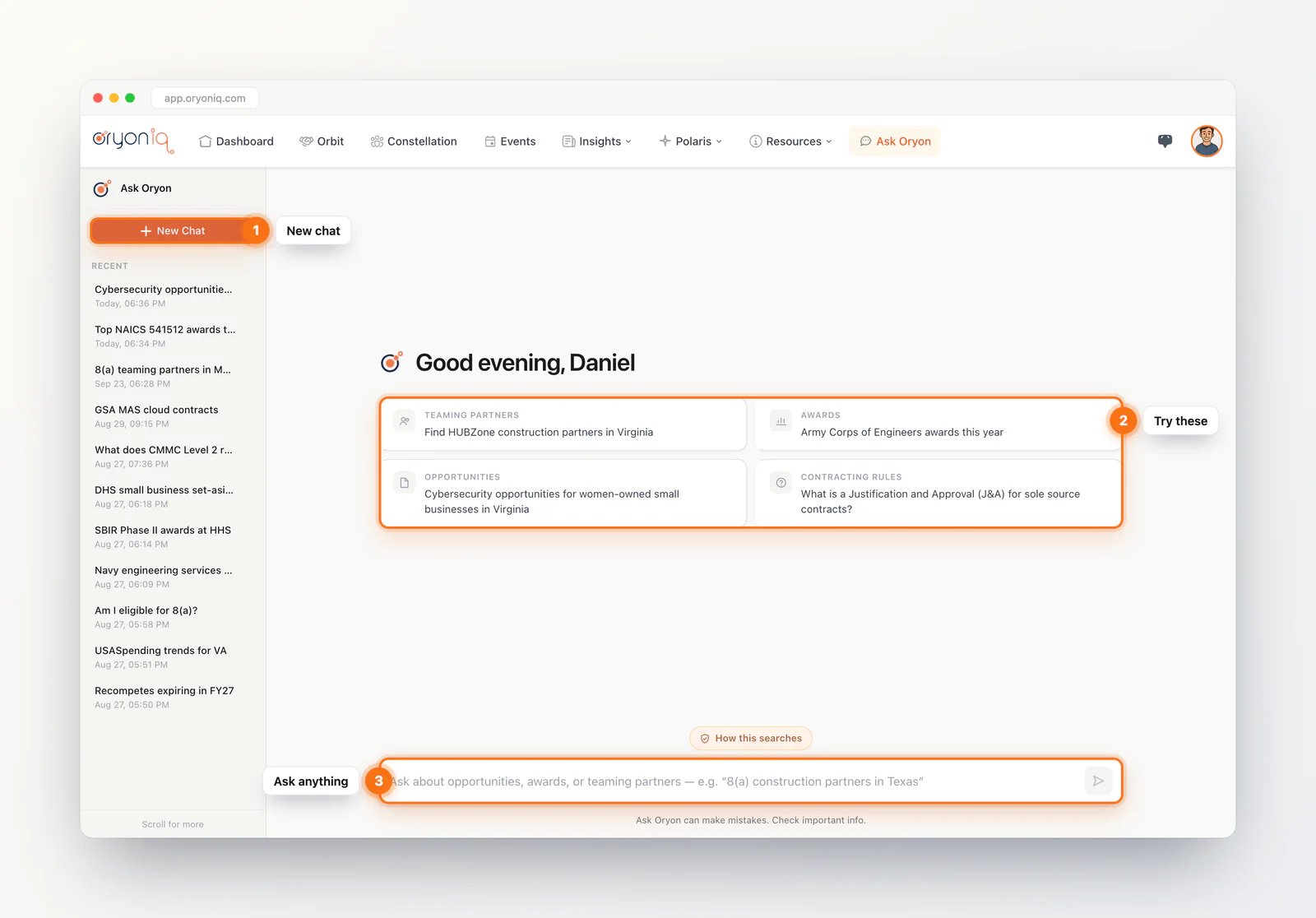
Ask Oryon start screen with starter prompts
Launchpad includes 3 Ask Oryon prompts a month, and Navigator has no monthly cap. Plans below Navigator also see capped search results. See Plans and tiers.
The four parts of OryonIQ
OryonIQ Polaris
Fourteen data modules for open opportunities, past awards, agencies, small business profiles and contract vehicles.
Ask Oryon
An AI assistant that answers plain-English questions. Its answers draw on SAM, FPDS, USAspending and SBA DSBS records.
Orbit
Each suggested partner has a match score. You connect by sending a request with a short note.
Constellation
The member community, where people post in spaces such as GovCon Discussions and Teaming and Matchmaking.
What does OryonIQ Polaris cover?
OryonIQ Polaris turns public records into searchable lists. Live opportunities come from SAM.gov, BidNet, SBIR.gov and state portals. Award history comes from FPDS and USAspending. DSBS holds SBA small business profiles, and GSA MAS lists schedule contracts. Every list module works the same way. A Filters rail sits on the left, with a Search keywords box and a Grid or List toggle above the results. Select the star on a card to save it to My watchlists. The Polaris overview walks through each module.How does Ask Oryon answer questions?
Ask Oryon searches verified federal contracting records, not the open web. Those records include SAM notices, FPDS and USAspending awards, and SBA DSBS profiles. An opportunity answer lists the agency, set-aside, deadline, NAICS code and point of contact, then a table of possible partners. Company names in an answer link to their records in Polaris, such as a DSBS profile. The footer reminds you that “Ask Oryon can make mistakes,” so check anything you plan to put in a proposal.How does Orbit match you with partners?
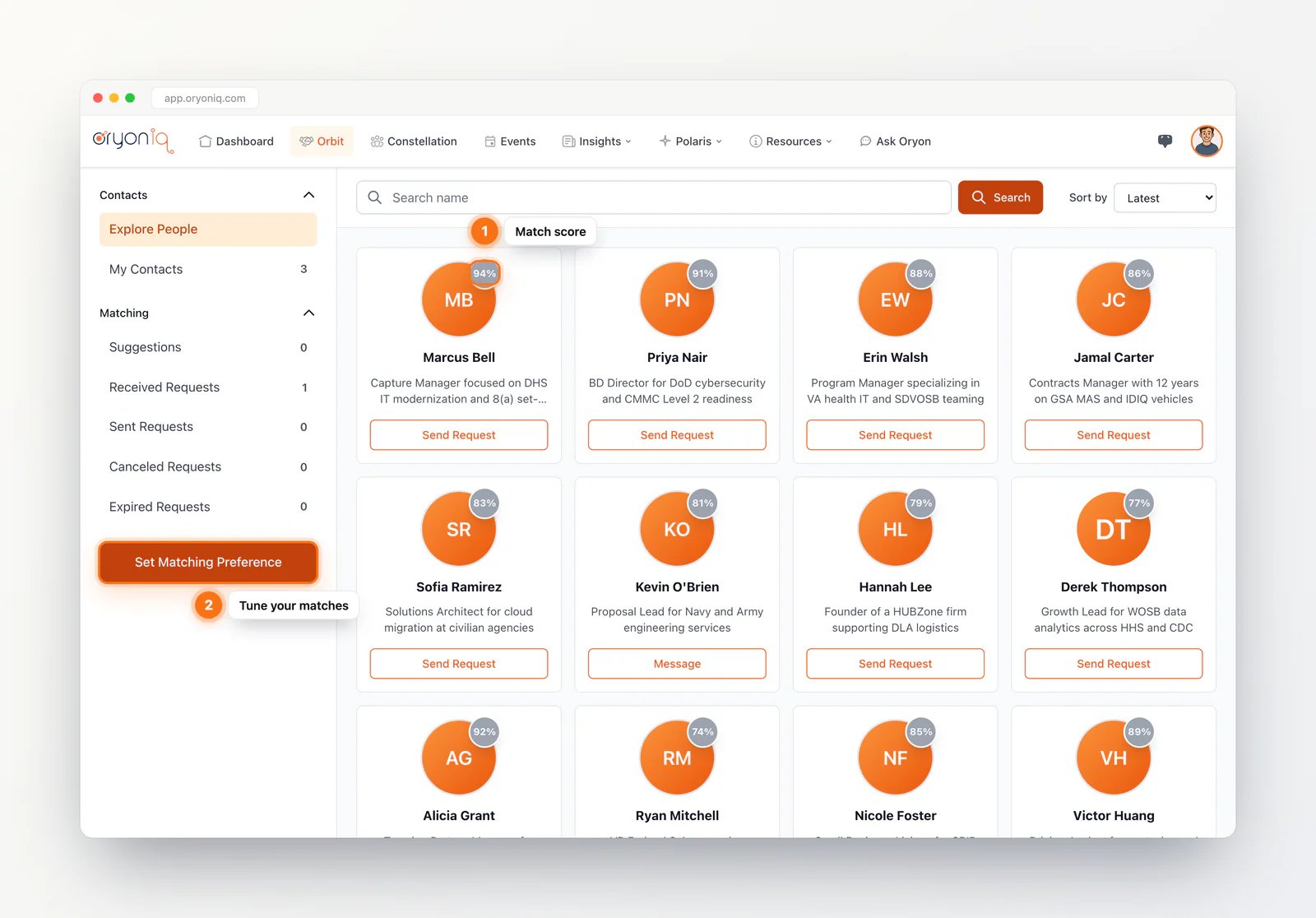
Match scores on Orbit member cards
Where does Constellation fit?
Constellation is the OryonIQ member community. It opens inside OryonIQ with single sign-on, so there’s no second password. You’ll find spaces for GovCon discussion and a Teaming and Matchmaking space for partner posts, plus a Leaderboard in the right rail. The first load can take a few seconds.How does your profile connect the parts?
Your profile is visible to other OryonIQ members, including anyone you send an Orbit request to. The Orbit preference criteria use the same kinds of details your profile holds: company city and state, NAICS codes and business designations. A complete profile gives Orbit and other members more to work with. See Profile and settings.What does a typical workflow look like?
1
Find an opportunity
Open Polaris, then SAM.gov. Filter by NAICS Code and Set-Aside Type, and star the notices you want to track.
2
Research the buyer
On the notice’s detail page, use the Connected records links to see the agency’s FPDS and USA Spending history.
3
Look for partners
Check the notice’s Partner suggestions tab. You can also type a request into Ask Oryon, such as “8(a) construction partners in Texas”.
4
Reach out
Send a request in Orbit, then message the member once they accept. If you use HubSpot, send the opportunity there as a Deal.
Other tools you’ll use
- Dashboard shows your profile card, quick links and watchlist widgets for SAM.gov, SLED, SBIR and BidNet.
- Insights collects public sector news and Federal Register policy items.
- Events lists GovCon conferences and expos you can save or register for.
- My watchlists keeps every starred item, with one tab per module.
- Messages holds your private chats with connections.