

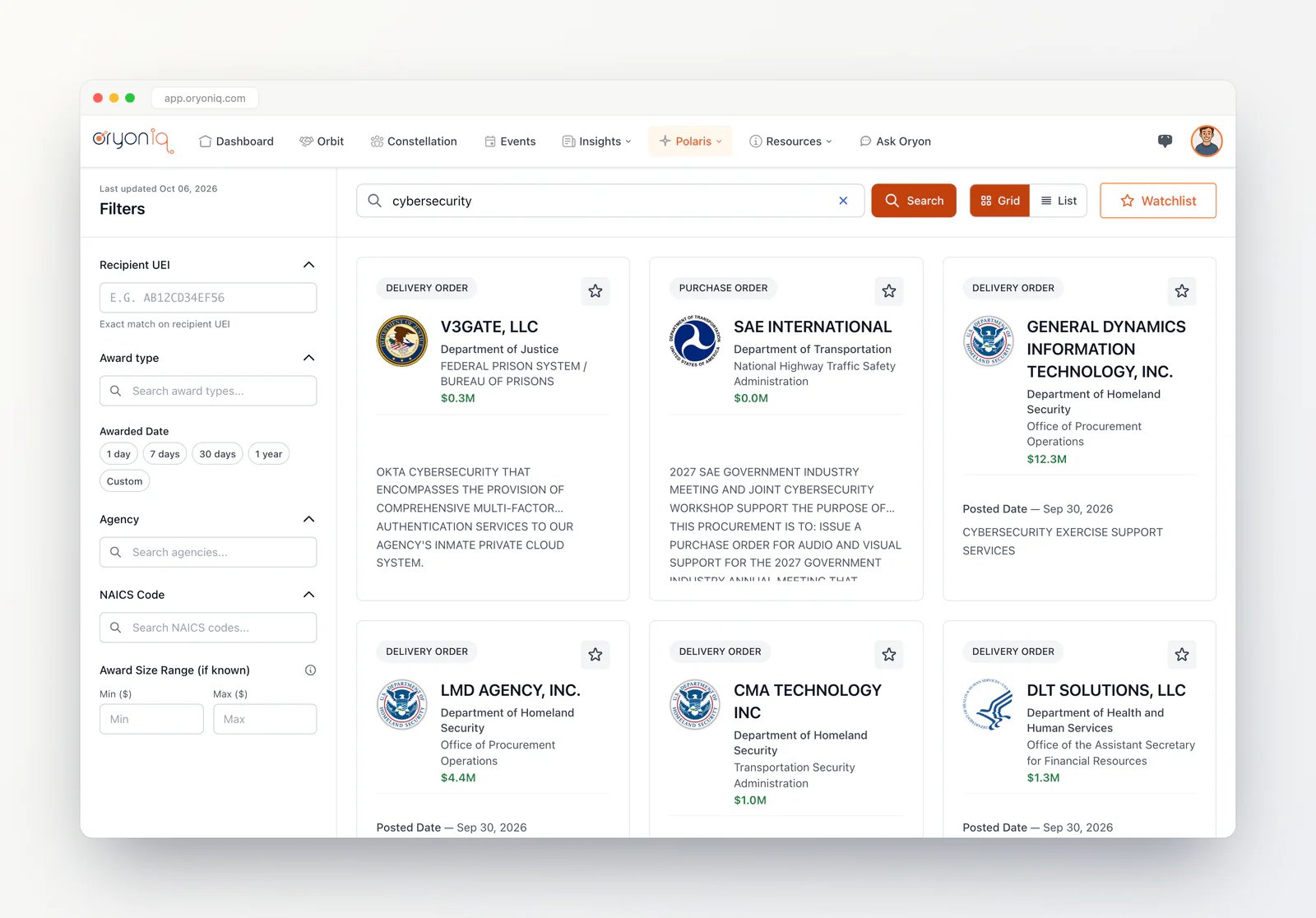
Grid view of USA Spending results for cybersecurity
USA Spending results follow your plan’s Polaris results cap. Navigator has no cap. See Plans and tiers.
How do I search USA Spending?
1
Open USA Spending
Select Polaris in the top navigation, then USA Spending under Market and Spend Intel.
2
Search
The search box hint reads “Search keywords, recipient name, PIID, or UEI”. Enter a company name, a contract ID or a scope term, then select Search.
3
Filter the results
For one company’s awards, paste its UEI into Recipient UEI. Add Award type, Agency or NAICS Code to narrow further.
4
Open an award
Select a card to open the full award record. Select Back to results to return to the list.
5
Save it
Select the star on the card, or Add to Watchlist in Key facts. Saved awards show up on the USA Spending tab of My watchlists.
USA Spending filters reference
Recipient UEI
Recipient UEI
Paste the recipient’s UEI. The hint reads “Exact match on recipient UEI”, so enter the full ID.
Award type
Award type
A searchable list of award types. Cards carry the type as a badge, such as DEFINITIVE CONTRACT, PURCHASE ORDER or DELIVERY ORDER.
Awarded Date
Awarded Date
Presets for 1 day, 7 days, 30 days and 1 year, or Custom for a date range you choose.
Agency
Agency
Search and pick an awarding agency.
NAICS Code
NAICS Code
Search by code or industry name.
Award Size Range (if known)
Award Size Range (if known)
Enter a Min ($), a Max ($) or both.
What’s in a USA Spending award record?
Tabs across the header cover Summary, Identifiers, Organization, Classification, Contractor, Performance, Financials, Subcontractors, Transaction history, Federal funding and Administration. The Summary tab opens with the Award narrative.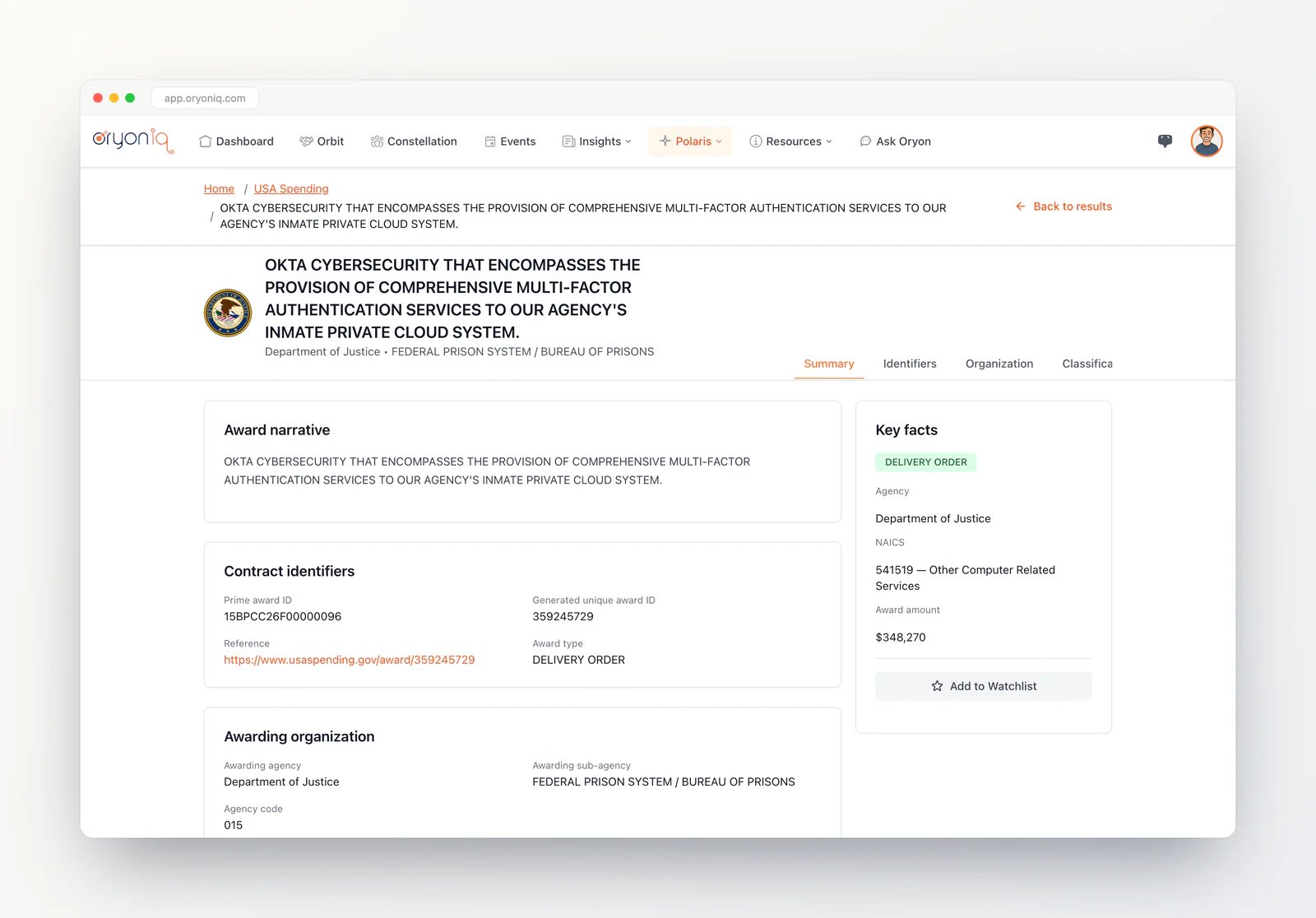
Award record with identifiers and Key facts
The record also lists the fiscal year, the recipient name and UEI, the period of performance and the award amount. The Reference field links to the same award on usaspending.gov if you want to check the source yourself.
How is USA Spending different from FPDS?
FPDS is the system where federal contract awards get reported. USAspending.gov is the government’s public view of federal spending. The two overlap, so you’ll often find the same award in both OryonIQ Polaris modules. What changes is how each record is organized and which details sit around it.
Use FPDS when you care about competition details such as set-aside and extent competed. Use USA Spending when you start from a company and want its prime awards with sub-agency and funding detail.