

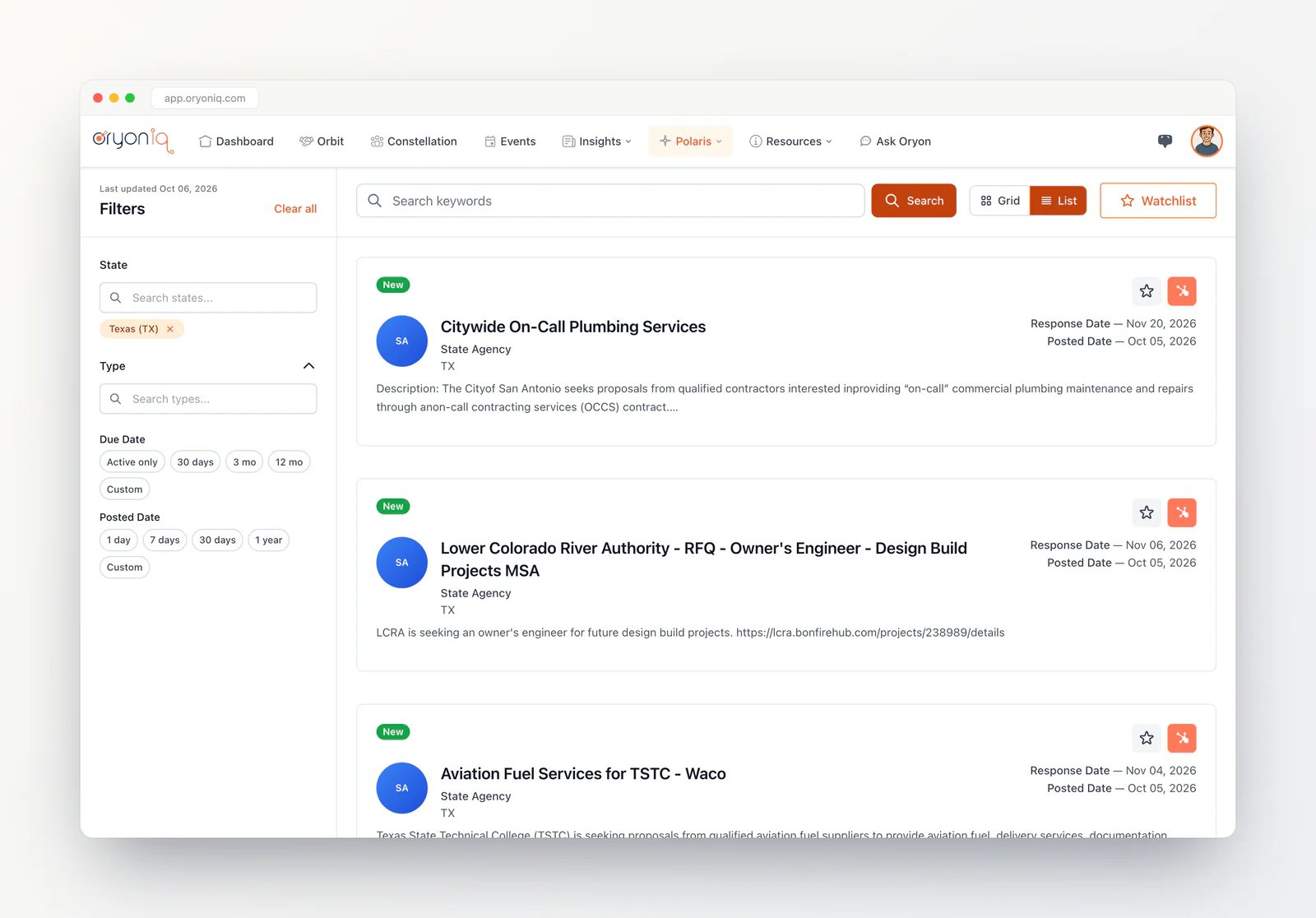
Texas opportunities with the Type filter showing
Your plan sets how many State & Local results you see per list and search. Navigator shows them all. See Plans and tiers.
How do I find opportunities in my state?
1
Open State & Local
Select Polaris in the top navigation, then State & Local under Live Opportunities.
2
Choose one state
The State filter starts with the hint “Showing opportunities from all states. Select one state for more filters.” Pick your state. It appears as a chip under the State field, for example Texas (TX).
3
Use the extra filters
With one state selected, the Type and Agency filters appear. Use them to narrow results to the kind of work and the buyers you want.
4
Set the dates
Pick a Due Date preset such as Active only, or a Posted Date preset to see recent postings.
5
Open an opportunity
Select a card to open its detail page.
State & Local filter reference
Each card shows a status badge, the title, the agency and state, the Response Date and Posted Date, and a short description. The star and the orange HubSpot icon sit at the top right.
What’s on a State & Local opportunity page?
The breadcrumb reads Home / State-Local / your state / title. Tabs run across the top: Summary, Point(s) of Contact, Teaming request and Partner suggestions.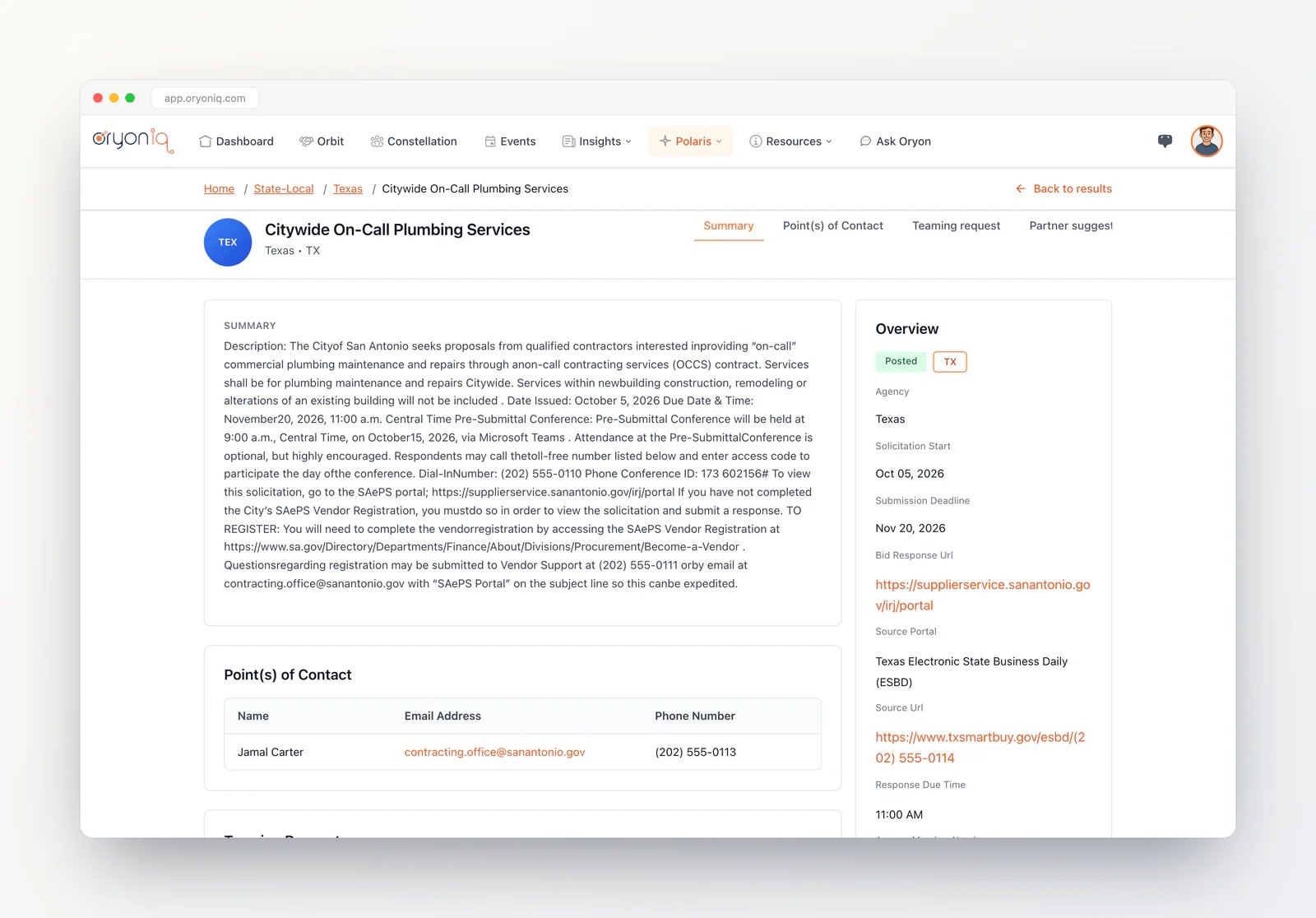
A Texas opportunity with its Overview panel
Summary
Summary
The opportunity description as posted on the state portal. It can include vendor registration steps and pre-bid conference details.
Point(s) of Contact
Point(s) of Contact
A table with Name, Email Address and Phone Number for each contact on the posting.
Overview panel
Overview panel
Status and state badges, then Agency, Solicitation Start, Submission Deadline, Bid Response Url, Source Portal and Source Url. Some states add their own fields, such as Response Due Time. The HubSpot button sends the opportunity to your CRM.
Teaming request and Partner suggestions
Teaming request and Partner suggestions
These work the same way as on SAM.gov opportunities. Open a call for partners or review suggested companies. See SAM.gov for details.