

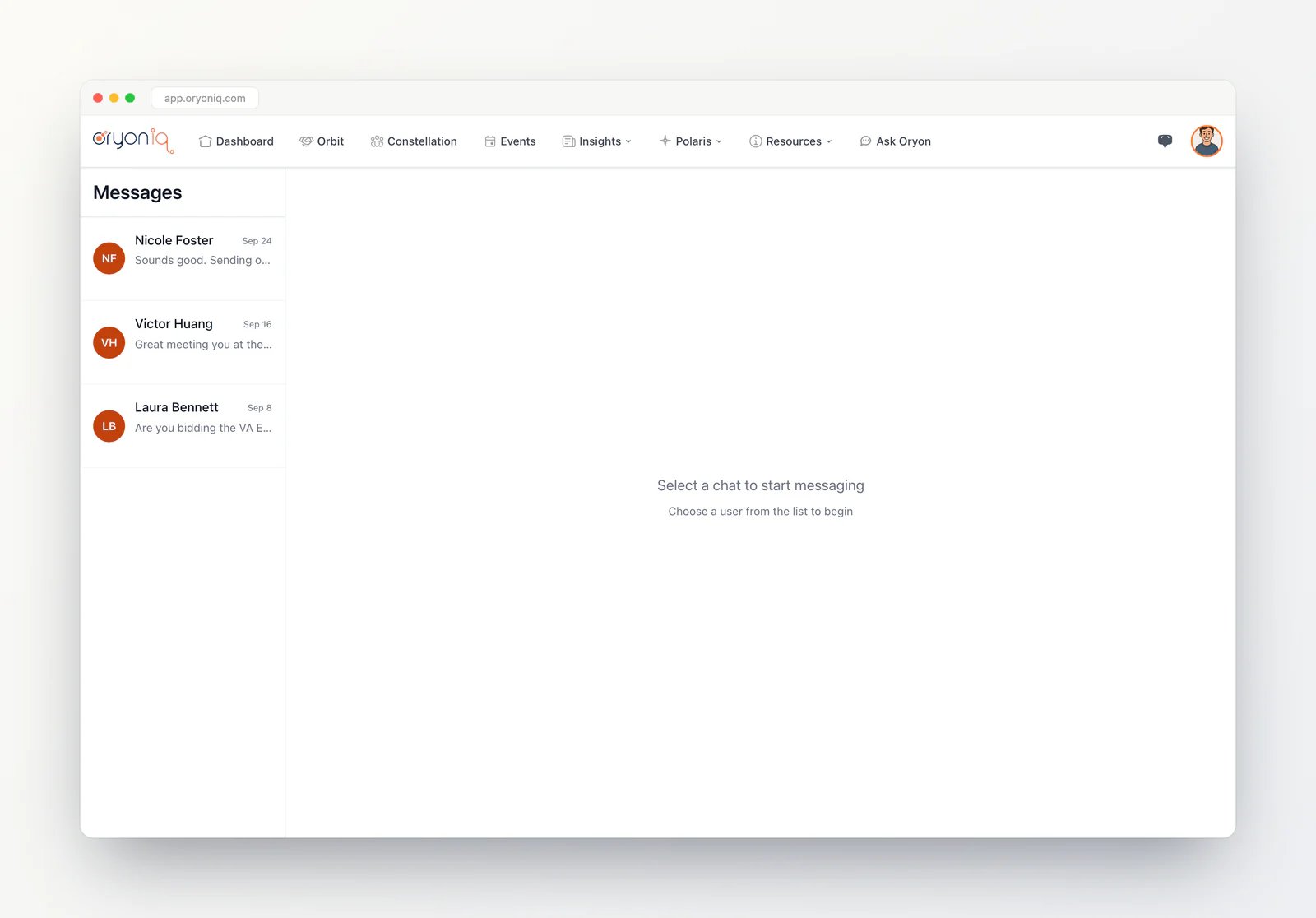
Messages is the private, one-to-one inbox in OryonIQ for talking with people you’ve connected with in OryonIQ Orbit. Use it to follow up after an industry day, or to work out who primes and who subs before a bid. Only you and the other person can see a conversation.
OryonIQ Messages page with three conversations listed by name, preview and date, and a right pane reading Select a chat to start messaging

Conversation list on the left, with no chat open yet

Direct messages are part of OryonIQ Orbit. The Navigator plan card lists full Orbit access, direct messages included. See Plans and tiers.

How do I open Messages?

Select the chat icon at the top right of any OryonIQ page, to the left of your profile picture. You can also select Message on a connected person’s card in Orbit.
Close-up of the top-right corner of OryonIQ showing the chat icon that opens Messages, next to the profile picture in an orange ring

The chat icon sits next to your profile picture

How do I start a conversation?

1

Connect in Orbit first

The Message button appears only on the cards of people you’re connected with. If you aren’t connected yet, send a request from OryonIQ Orbit.
2

Find your contact

In Orbit, open My Contacts and find the person you want to reach.
3

Select Message

On their card, select Message. The conversation opens in Messages.
4

Send your first note

Write your note in the Type a message… box at the bottom and select Send.

How do I read and reply?

1

Pick a conversation

Select a name in the Messages list on the left. Each entry shows the contact’s initials, name, a preview of the last message and its date.
2

Catch up

Messages are grouped under date labels, and each message shows the time it was sent. Yours appear in orange on the right; the other person’s appear in gray on the left.
3

Reply

Type in the message box at the bottom and select Send.
4

Check who you're talking to

Select View profile under the person’s name at the top of the chat.
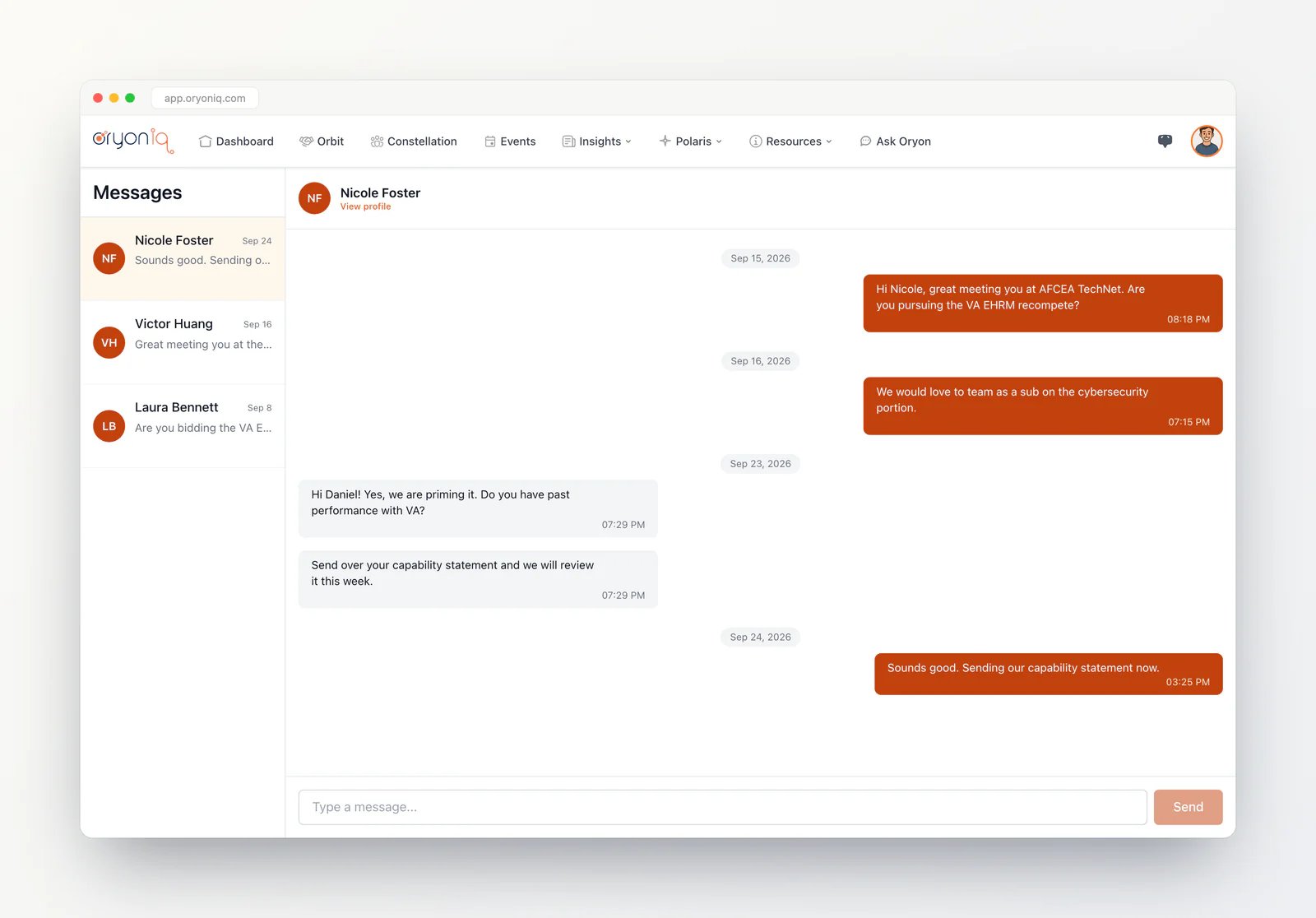
Open conversation in OryonIQ Messages with a View profile link, messages grouped by date with send times, and a Type a message box with Send

An open thread about a VA recompete, with the reply box below

Until you pick a chat, the right pane reads “Select a chat to start messaging” with the hint “Choose a user from the list to begin.”

Messages or Constellation?

Messages are private and one-to-one. Constellation is the OryonIQ community, where posts are visible to other members. Keep pricing and workshare talks in Messages rather than in a public post.

Frequently asked questions

Are OryonIQ messages private?

Yes. Each conversation in OryonIQ Messages is one-to-one, so only you and the other person can see it. Public discussion happens in Constellation instead.

Can I message anyone in OryonIQ?

No. In OryonIQ, the Message button appears only on the Orbit cards of people you’re connected with. Send someone a connection request in OryonIQ Orbit first.

Where is the Messages inbox in OryonIQ?

Select the chat icon at the top right of any OryonIQ page, next to your profile picture. It opens OryonIQ Messages with your conversation list.

Does OryonIQ Messages show when a message was sent?

Yes. OryonIQ Messages groups each conversation under date labels and shows the send time on every message. To meet new people, browse suggestions in OryonIQ Orbit or join a discussion in Constellation.
Last modified on October 10, 2026