

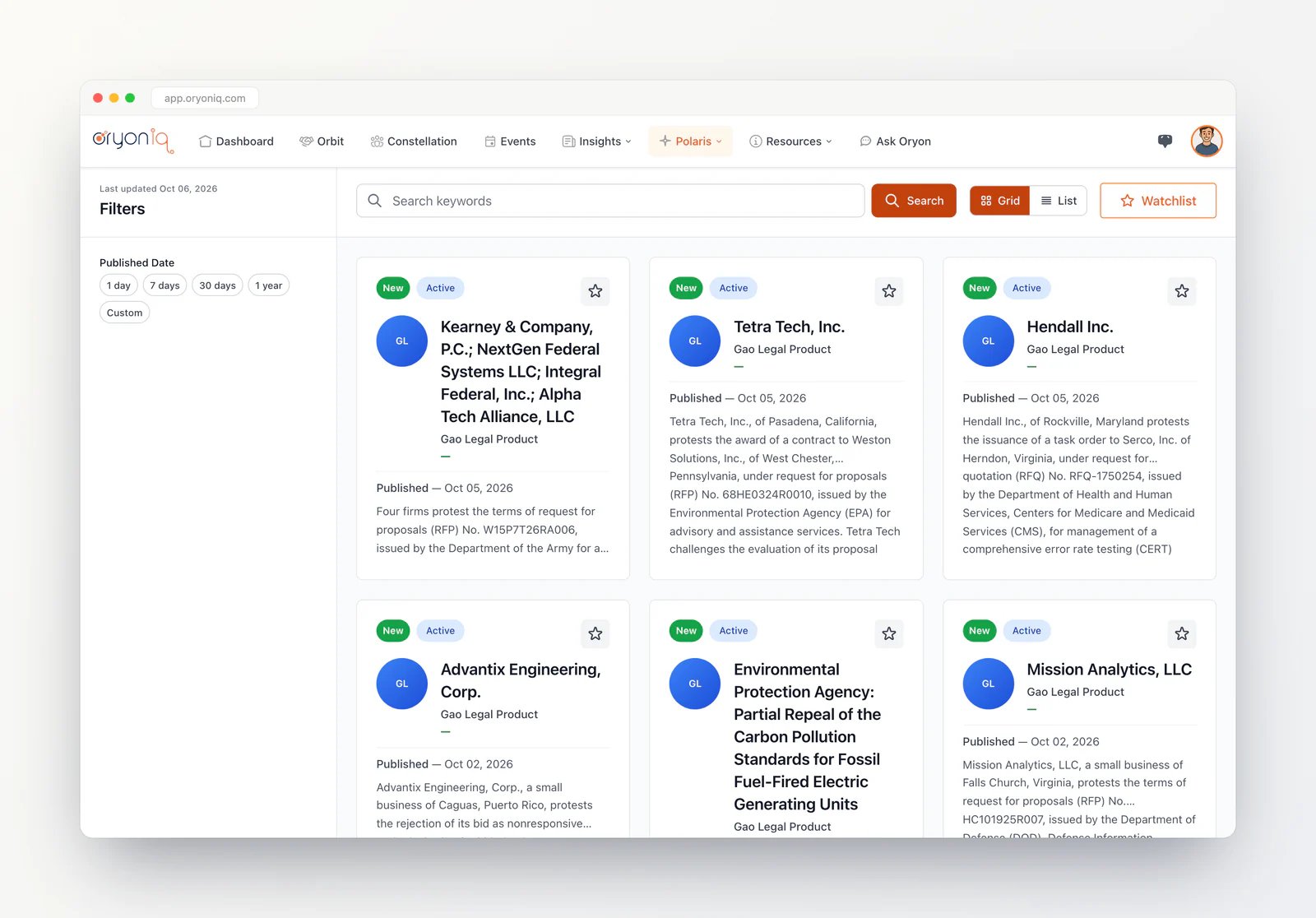
Recent GAO legal products in grid view
How many GAO Legal results you see per list and search depends on your plan. Navigator has no cap. See Plans and tiers.
Why follow GAO protest decisions?
GAO decides bid protests on federal procurements, and its written decisions explain why a protest was sustained or denied. Reading recent ones shows you how agencies get challenged on evaluations and solicitation terms. That helps you write proposals that hold up, and judge whether a protest of your own is worth filing. The cards also tell you who is protesting what. Most titles are the protesting company’s name, so you can spot competitors who fight losses and agencies that draw frequent protests.How do I read a GAO decision in OryonIQ?
1
Open GAO Legal
Select Polaris in the top navigation, then GAO Legal under Company and Legal Intel.
2
Pick a time window
Under Published Date, choose 1 day, 7 days, 30 days or 1 year, or set a Custom range.
3
Search if you need to
Type a keyword, such as an agency or a type of service, in Search keywords and select Search.
4
Scan the cards
Each card shows status badges such as New and Active, the title, the label “Gao Legal Product”, the Published date and the start of the summary.
5
Open a decision
Select a card to open the detail page. Back to results returns you to the list.
6
Read the full decision
Select Open on GAO.gov in the Key facts panel to read the official report.
What’s on a GAO decision page?
The header shows the title and publication date. Three tabs sit below it: Overview, Summary text and Source.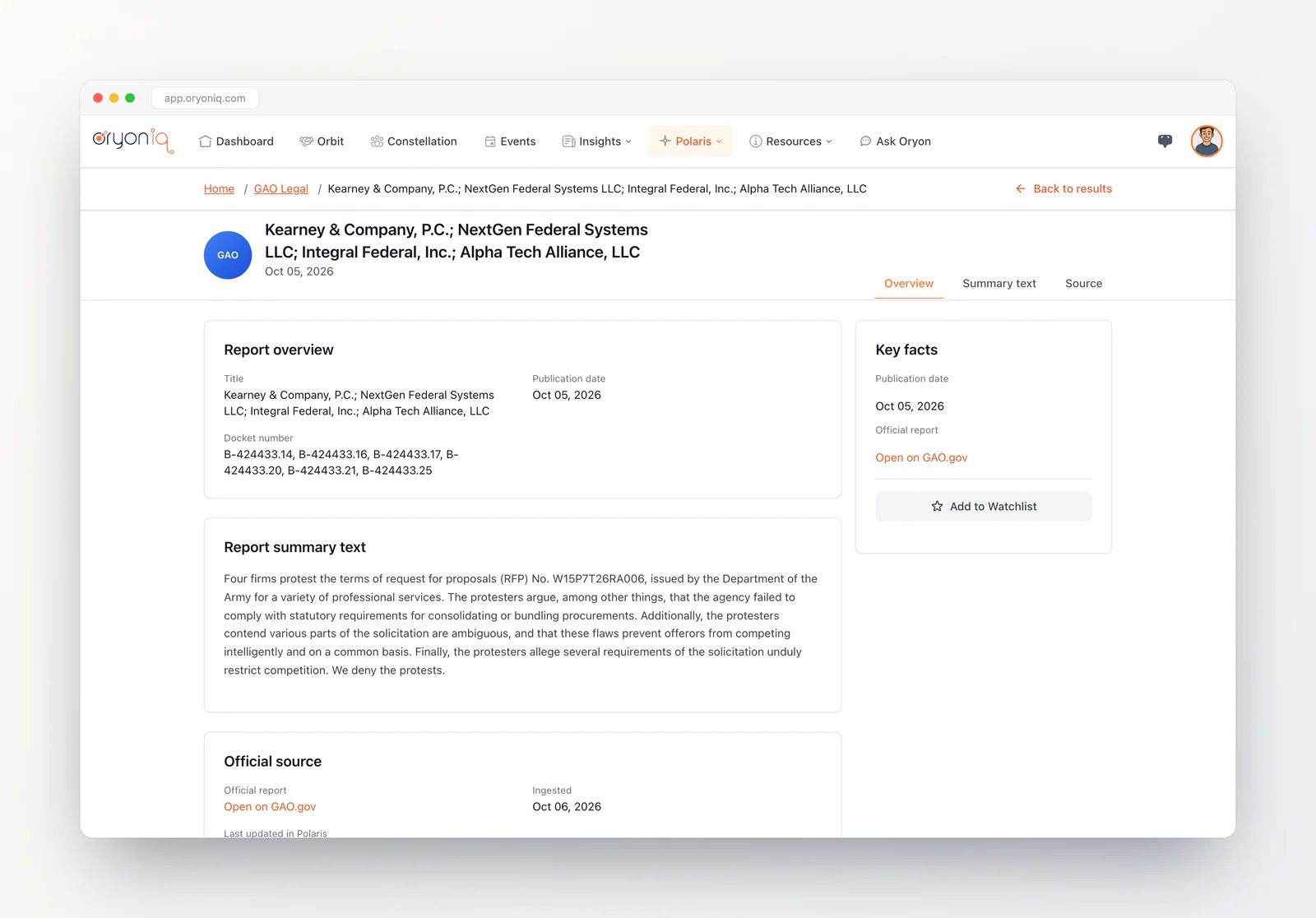
A protest decision on the Overview tab
In the decision shown above, the summary names the solicitation and the agency, lists the protesters’ arguments, and ends with GAO’s ruling (“We deny the protests.”). That’s often enough to decide whether you need the full report.