

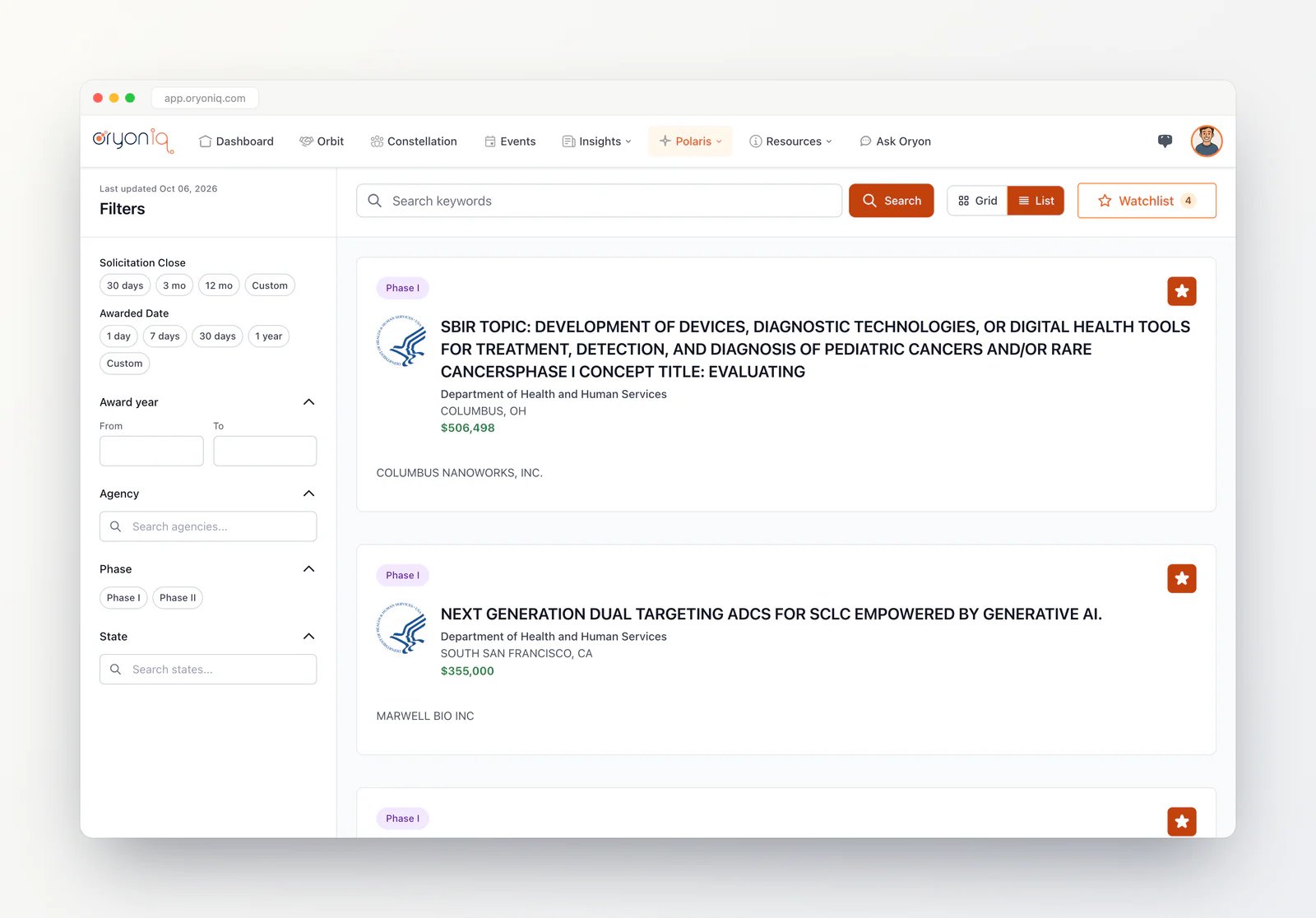
SBIR awards with the Phase and State filters
SBIR results are capped on lower plans and uncapped on Navigator. Launchpad also has a daily limit on records you can open. See Plans and tiers.
What are SBIR and STTR awards?
Both programs fund small businesses to do research and development for federal agencies, in phases. Phase I typically tests whether an idea is feasible, and Phase II funds fuller development of the ones that work. STTR adds one rule: the small business works with a research institution, such as a university. For capture, the useful part is the pattern. Award history shows which companies keep winning in your technology area, and which agencies and branches fund that work.How do I research SBIR awards in my technology area?
1
Open SBIR
Select Polaris in the top navigation, then SBIR under Live Opportunities.
2
Search your topic
Type a technology or problem area in Search keywords, for example “digital health,” and select Search.
3
Filter by agency and phase
Pick the agency you target under Agency, then Phase I or Phase II under Phase.
4
Set a time window
Enter a From and To year under Award year, or use the Awarded Date presets.
5
Open an award
Select a card to see the full award, the company and the abstract.
SBIR filter reference
Each card shows a Phase badge, the agency seal, the award title, the agency, the awardee’s city and state, the award amount and the company name. The star at the top right saves the award.
What’s on an SBIR award page?
The award page has tabs for Overview, Company, Abstract and Dates. The breadcrumb reads Home / SBIR awards, and Back to results returns you to the list.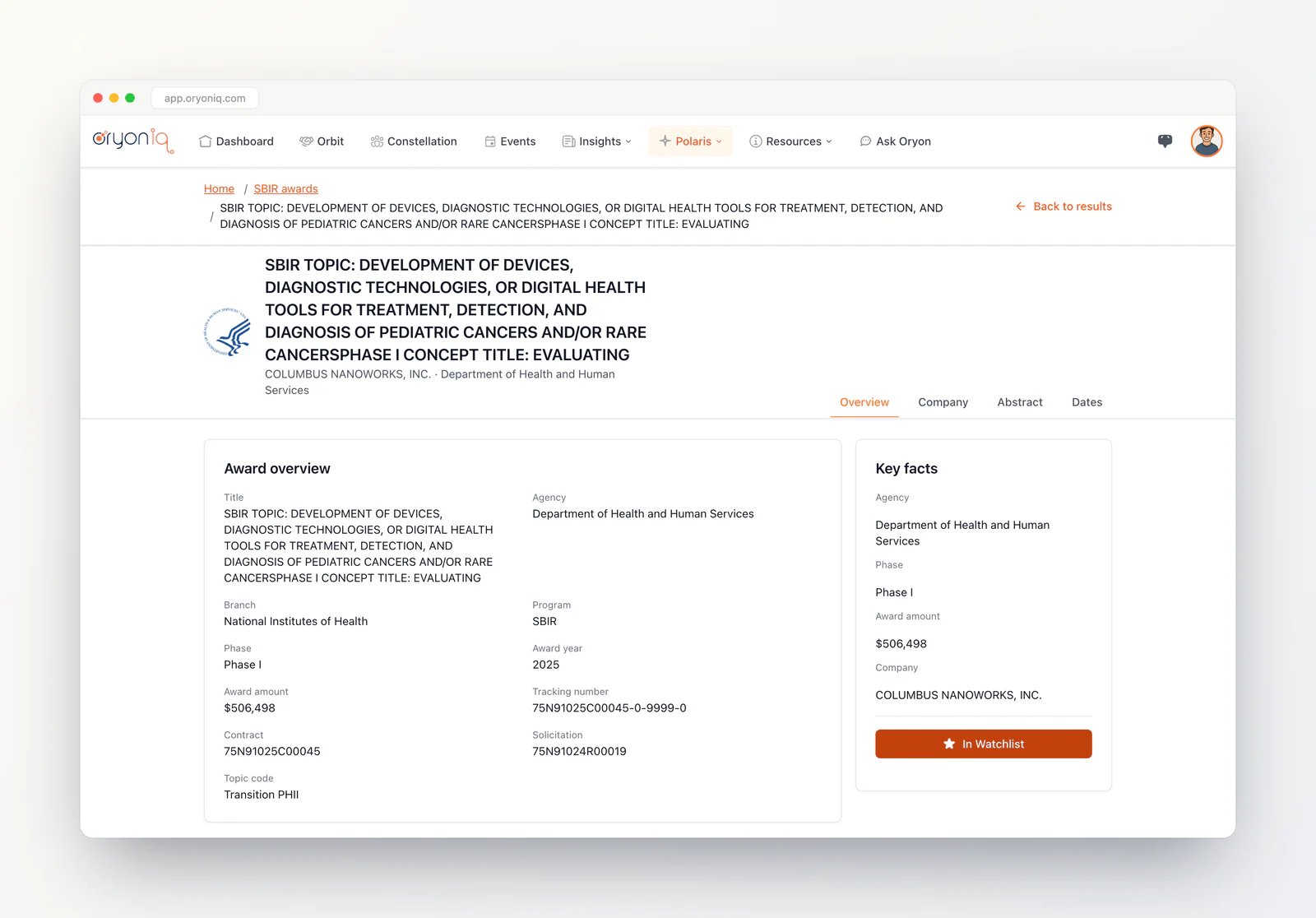
Award overview and Key facts for a Phase I award
Award overview
Award overview
Title, Agency, Branch, Program (SBIR or STTR), Phase, Award year, Award amount, Tracking number, Contract, Solicitation and Topic code.
Awardee company
Awardee company
Company, UEI and Location. Visit company site opens the awardee’s website.
Project abstract
Project abstract
The awardee’s description of the research. Read it to judge whether the company’s work fits yours.
Key dates
Key dates
Dates such as the Proposal award date, Contract end date and Solicitation close date.
Connected records
Connected records
Key facts
Key facts
A summary panel with Agency, Phase, Award amount and Company. The Add to Watchlist button saves the award and then reads In Watchlist.